Multi-Lingualism: The Invented Tradition
This webpage shows you what we call the Forest level. This essay demonstrates advanced ScrollStory features—everything from Seedling and Sapling, plus background image switching, juxtapose comparisons, and multi-section scrollyboxes. This is the full cinematic experience.
What makes this a “Forest” essay? It includes every component Xanthan offers: all the basics (headings, images, footnotes), Sapling features (scrollyboxes, carousels), plus advanced techniques for complex visual narratives. Use this when you want maximum storytelling power.
The text below explains each advanced feature as you encounter it, mixed with some filler to show pacing.
All the Basics Still Work
.jpg)](/silk-road//essays/multilingualism-example-theme/images/ota-gate-khiva2.jpg)
Right-aligned images work exactly like Seedling and Sapling. Every skill you’ve learned carries forward. Source
.jpg)
Forest doesn’t replace Seedling or Sapling—it includes them. You can mix simple images, footnotes, and section headings1 with the advanced features we’re about to show you.
The key to Forest essays is knowing when to use which tool. Not every moment needs a cinematic treatment. Sometimes a simple image alongside text is exactly right.
Lorem ipsum dolor sit amet, consectetur adipiscing elit. Vivamus pretium, nibh vel posuere pretium, neque ipsum maximus libero, ac maximus quam ante sit amet dolor. Integer pharetra semper sem sed sagittis.2
Juxtapose: Before/After Comparisons
Below you’ll see a juxtapose component—an interactive slider that lets readers compare two images by dragging a handle left and right. Perfect for before/after, then/now, or any two related images.

Two shades of color on the Ota Gate.
Why use juxtapose? When you want readers to actively explore the relationship between two images. The interactive slider invites engagement—readers control what they see and how much of each image.
Use cases:
- Historical photos showing change over time
- Different views of the same location
- Comparing historical documents or maps
- Revealing differences that might be subtle
Praesent sed vehicula velit, vel hendrerit neque. Vivamus scelerisque sed nunc nec congue. Curabitur sapien risus, finibus id tincidunt iaculis, porta et ipsum.
Standard Scrollybox (From Sapling)
The next section uses a basic scrollybox like you saw in Sapling. Keep scrolling to see text overlay a full-screen background image.
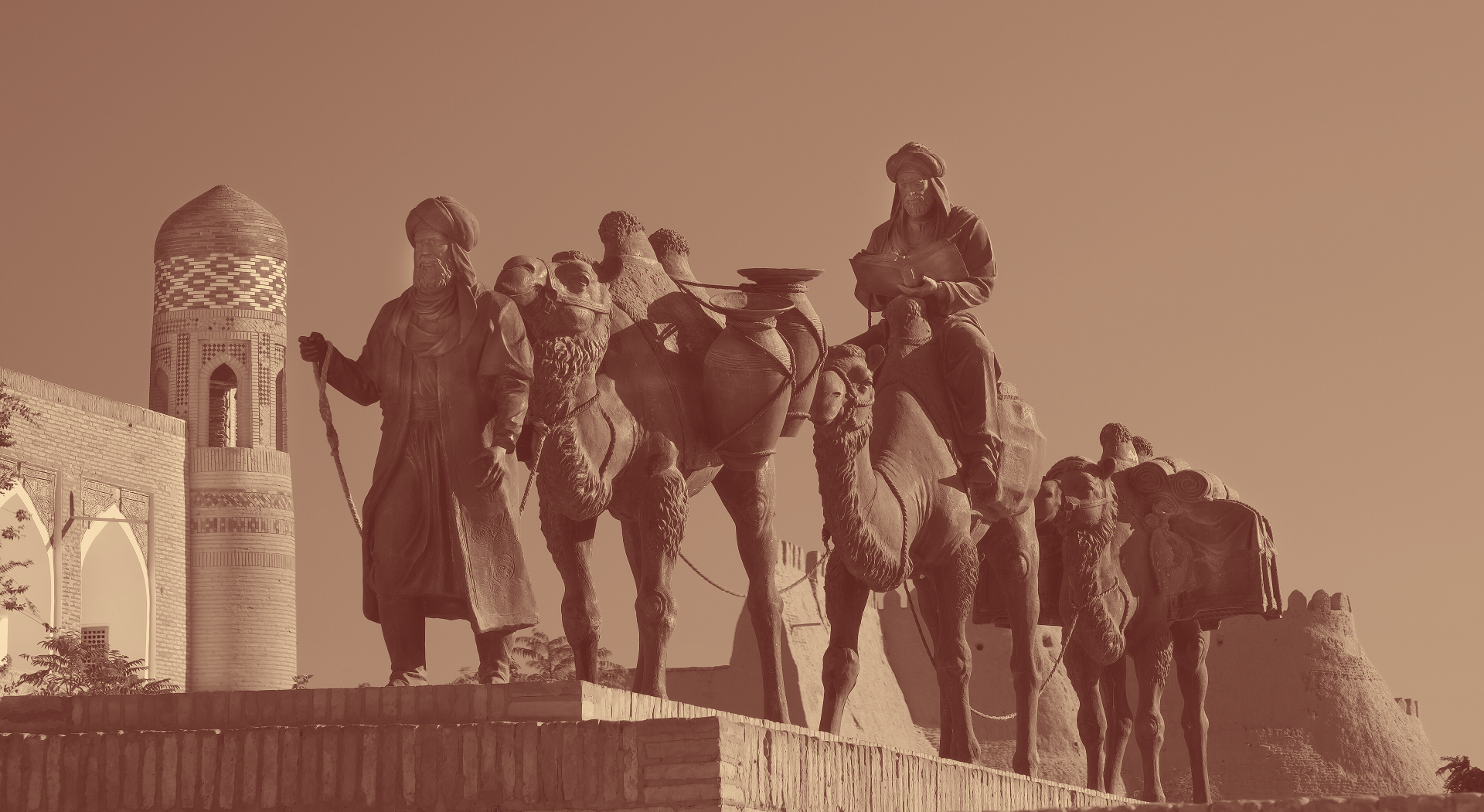
A sculpture in Khiva offers a romaticized view of the Silk Road trade network.
Pull Quotes for Emphasis
Notice how you can shift between immersive full-screen scrollyboxes and traditional pull quotes within the same essay. Choose the right tool for the moment:
- Scrollyboxes for dramatic visual immersion
- Pull quotes for emphasis within ongoing text
- Standard images for supporting illustrations
- Juxtapose for interactive comparisons
Lorem ipsum dolor sit amet, consectetur adipiscing elit. Sed consequat, lacus id blandit ornare, mi nisi rutrum ante, vitae dignissim mauris nisl mattis nisl.
Background Switching: The Advanced Feature
This is what makes Forest essays truly cinematic. You’re about to scroll through a section where the background image switches as you read, creating a visual sequence that matches your narrative.
Watch carefully: The background will start with one image, then switch to another partway through. The text box stays visible throughout, but the background changes to match what you’re reading about.
Now we have a text box scrolling up over the first image. At various points (clearly labeled below) the background image will switch while the text continues scrolling.
This is perfect for visual sequences: walking through a building room by room, showing historical change over time, or revealing evidence step by step.
Lorem ipsum dolor sit amet, consectetur adipiscing elit. Phasellus nec ante ligula. Nulla fringilla ligula sit amet nisl consectetur ultricies. Mauris ac tellus eu ante lobortis rhoncus non eu nisl.
BACKGROUND IMAGE SWITCHES HERE
The New Background
Did you notice the background change? The image switched to the brown tint. Your text continued scrolling, but the visual context shifted.
Why use background switching?
- Narrative sequences (first this happened, then that)
- Spatial movement (from room to room, place to place)
- Evidence building (showing multiple sources for one argument)
- Visual comparisons while maintaining narrative flow
Duis ut dui dolor. Integer eu lectus at tellus accumsan euismod eget a ligula. Morbi venenatis, elit eu varius fermentum, ligula est dictum massa, sit amet ullamcorper augue nisl ut nunc.
The End of This Sequence
Watch as the text box scrolls out of view, followed by the background image fading away. Then normal scrolling resumes.
Back to Normal Flow
Notice how smoothly you transitioned from that immersive multi-image sequence back to regular essay format? That’s the power of mixing components.
After an immersive scrollybox sequence, a standard right-aligned image feels grounding and gives readers a break. Source
Pacing matters in Forest essays. If everything is cinematic and immersive, nothing stands out. Use advanced features strategically:
- Build to moments of visual intensity
- Give readers breaks with standard images and text
- Save background switching for key narrative turns
- Use juxtapose when comparison is the point
Duis ut dui dolor. Integer eu lectus at tellus accumsan euismod eget a ligula. Morbi venenatis, elit eu varius fermentum, ligula est dictum massa, sit amet ullamcorper augue nisl ut nunc.
Image Carousels (From Sapling)
All Sapling components work in Forest too. Here’s a carousel for comparing multiple images:


Carousels work well after intense scrollybox sequences. They’re interactive but less immersive than full-screen backgrounds, giving readers some control while maintaining visual interest.
Block Quotes for Primary Sources
Architectural features of the Ota Darvaza reflect much of the culture of the Silk Road. Random Imaginary Person, a visitor to Khiva, spoke poetically about their experience of the architecture of the gate.
As I entered the Ota Darvaza, the splendor of the gateway overwhelmed me. Source
Block quotes continue to work for extended quotations from primary sources. They’re visually distinct from scrollybox overlays and provide a rhythm change in your essay.
What You’ve Learned in Forest
If you can create a Forest essay, you have mastered:
- All Seedling components - Images, headings, footnotes, pull quotes, block quotes
- All Sapling components - Basic scrollyboxes, carousels, pacing control
- Advanced Forest features:
- Juxtapose interactive comparisons
- Background image switching on scroll
- Multi-section scrollybox sequences
- Complex cinematic narratives
This is the full Xanthan toolkit. Not every essay needs every feature, but you now have complete control over how to tell visual stories on the web.
When to use Forest vs. Sapling vs. Seedling?
- Seedling for straightforward digital essays with images and structure
- Sapling when you want immersive scrollyboxes and carousels
- Forest when your narrative demands cinematic sequences and background switching
Pro tip: Start simple and add complexity only where it serves your argument. The best essays use advanced features sparingly, for maximum impact.
What makes Forest the most advanced template?
- Juxtapose interactive image comparisons (before/after, then/now)
- Background image switching on scroll for dramatic visual transitions
- Multi-section scrollyboxes with narrative sequences
- Full cinematic storytelling capabilities
- Everything from Seedling and Sapling, plus these advanced features
Feeling overwhelmed? Start with Seedling or Sapling and work your way up. You can always add complexity later once you’re comfortable with the basics. Most excellent digital essays use Seedling or Sapling—Forest is for when you truly need cinematic power.
Bibliography
- Lastname, Firstname. “Title of the Article.” Title of the Journal 9, no. 9 (1999): 999–999.
- Lastname, Firstname. Title of the Book. Publisher Press, 1999.